
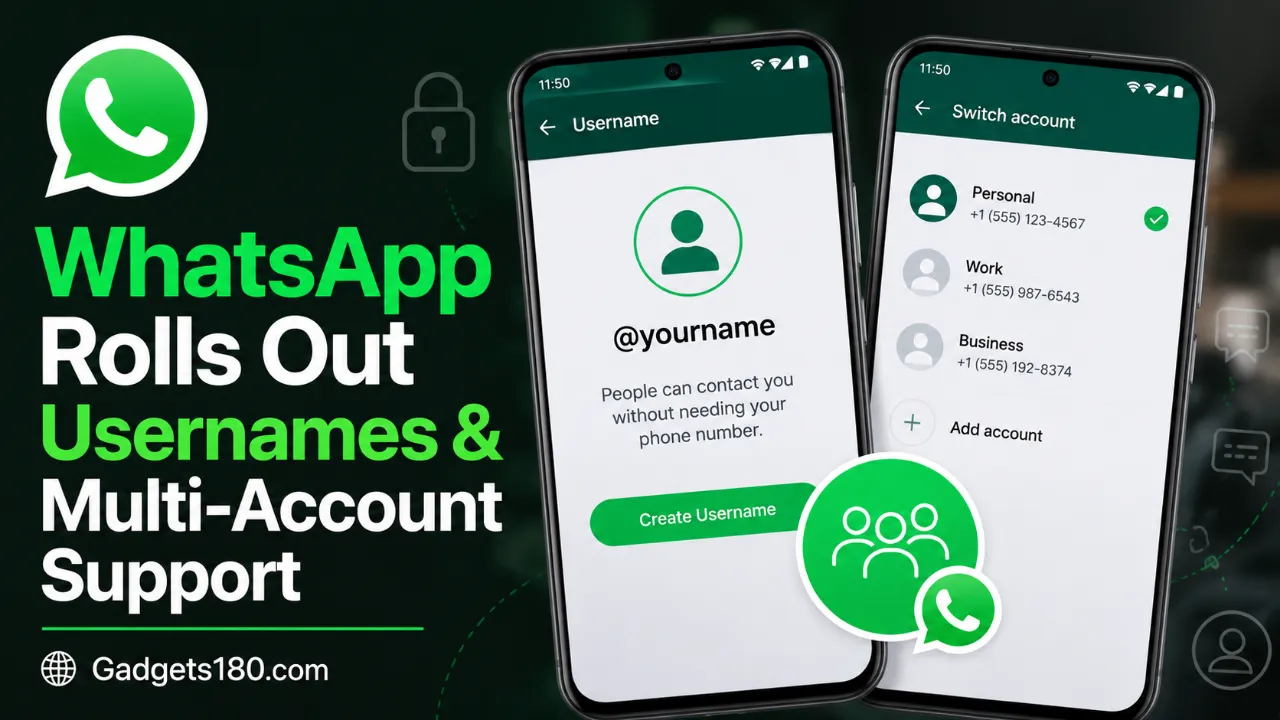
WhatsApp is testing one of its most requested privacy features yet. A small group of users can now start chats with strangers using only a username, leaving their phone number completely hidden. At the same time, WhatsApp Business is getting a long-awaited multi-account option, letting entrepreneurs run two business profiles from a single device.
Neither feature is available to everyone yet. But their arrival marks a meaningful shift in how WhatsApp handles identity, privacy, and business communication — two areas the app has largely left untouched since its early days.
Key Highlights
- WhatsApp has begun a limited rollout of its full username feature, allowing select users to message new contacts without sharing a phone number.
- A new chat-list banner confirms when a user’s username is active.
- Phone numbers still work as before; usernames are an additional option, not a replacement.
- WhatsApp Business on Android now supports multi-account, letting users manage two business profiles on one device.
- A “username key” feature adds an extra privacy layer, requiring a shared code before strangers can start a chat.
- WhatsApp is separately testing Liquid Glass design on Mac, its own iOS backup storage, iOS mic-mode shortcuts, and a multi-send voice message widget.
Quick Summary Box
What happened? WhatsApp began rolling out full usernames and Business app multi-account support to a limited set of users this week.
Why did it happen? The company has been developing username-based messaging for privacy reasons and multi-account tools to meet demand from business owners managing multiple profiles.
Who is affected? A limited number of WhatsApp users globally, plus WhatsApp Business users on Android who see the multi-account option in settings.
Why does it matter? It reduces the need to share personal phone numbers with strangers and gives small businesses more flexibility without needing two devices.
What happens next? WhatsApp is expected to widen the rollout gradually; there’s no confirmed date for a global launch.
What Happened?
WhatsApp has begun distributing two significant updates through its ongoing beta and staged rollout process. The first lets a limited number of users initiate conversations with new contacts by typing a username instead of a phone number. The second brings multi-account functionality to the WhatsApp Business app on Android, a capability regular WhatsApp already offered but Business had lacked.
Both changes reflect priorities WhatsApp has signaled for months: giving users more control over what personal information they share, and giving business owners tools that match how they actually operate — often juggling more than one storefront or brand from the same phone.
Background
WhatsApp has relied on phone numbers as the core identifier for every account since its founding. That design made onboarding simple but left users exposed: to message someone, you generally needed their number, and giving out that number meant handing over a direct line that’s hard to take back.
Usernames have been in development and limited testing for some time. Earlier reports had already outlined how the feature would let users search for and message each other without exchanging numbers, similar to how apps like Telegram or Signal handle identity. This week’s rollout is the first time the full version of that system — including the privacy-focused username key — has reached real users rather than internal testers.
Multi-account support, meanwhile, has existed on the standard WhatsApp app for a while, letting one phone run two personal numbers. WhatsApp Business, aimed at shop owners, freelancers, and companies, hadn’t caught up — until now.
Full usernames: How the rollout works
For the limited group of users who have access, WhatsApp now hides their phone number by default when chatting with people they haven’t spoken to before. A banner appears at the top of the chat list once a username is active, confirming the change is live on that account.
Importantly, this isn’t a full replacement for phone numbers. Anyone who already has your number can still reach you with it. WhatsApp also still requires a phone number to create an account in the first place — usernames sit on top of that system rather than replacing it. WABetaInfo, which tracks WhatsApp’s beta releases, was careful to note that this staged release should not be treated as a global launch.
Starting a chat by username:
- Open the Chats tab and tap the “+” button to bring up the contacts screen.
- Type the other person’s full username exactly as they shared it — WhatsApp doesn’t currently support browsing a directory or searching partial matches.
- Tap the username once it appears to open the chat.
- If that person has set a username key, you’ll be prompted to enter it before the conversation can start.
Setting up a username key: A username key acts as a second gate for anyone trying to message you for the first time by username. It’s managed only from your primary device, through Settings > Account > Username > Username key. Once generated, you share the key alongside your username with people you actually want to be reachable by — a useful safeguard against random contact attempts.

WhatsApp Business gets multi-account support
WhatsApp Business users can check their settings page for a “+” icon next to their profile name. If it’s there, the feature has reached that account, and a second business profile can be added on the same device.
Switching between accounts:
- Open the overflow menu in the Chats tab.
- Select “Switch accounts.”
- Choose the profile to view.
Notifications and activity still register for the inactive account, but messages can only be read after switching into that profile — the two accounts remain functionally separate rather than merged into one inbox.
Expert Analysis
From a product standpoint, both features address gaps that competitors had already closed. Telegram and Signal have offered username-based contact for years, and Instagram-style handles have made phone-number-free identity feel normal to most smartphone users. WhatsApp’s slower approach likely reflects its scale — changes to core identity infrastructure carry more risk when rolled out to billions of accounts at once, which is probably why the company is testing in stages rather than flipping a global switch.
The username key is a smart addition on top of that. It effectively lets a user publish a username publicly — on a business card, social bio, or website — while still filtering out unwanted contact attempts, since a stranger would need both the username and the key.
The Business multi-account rollout is arguably the more immediately useful change for a broader group: WhatsApp Business is used heavily by small retailers, freelancers, and service providers, many of whom already juggle separate numbers for different ventures or manage a client’s account alongside their own.
Why This Matters
For everyday users, the username feature chips away at one of WhatsApp’s longest-standing privacy limitations — the requirement to hand over a phone number just to start talking to someone new. That matters for people selling items online, meeting new contacts through communities, or simply preferring not to broadcast a number tied to their real identity.
For business owners, multi-account support removes a real operational headache. Previously, running two WhatsApp Business profiles usually meant carrying two phones or using workarounds like cloned apps, which aren’t officially supported and can risk account bans.
Also read;
WhatsApp Is Testing Birthday Reminders for Contacts 2026 — Here’s How the New Feature Could Work
WhatsApp Channel Status Is Now Rolling Out
SIM Binding Rule Starts Soon: Big Change Coming for WhatsApp Users in India
Impact on Consumers, Businesses, and the Industry
Consumers: Gain an extra layer of control over who can contact them and what information those contacts can see.
Small businesses: Can consolidate operations onto one device instead of maintaining separate hardware for each storefront or brand.
Industry-wide: WhatsApp’s move brings it closer in line with how other major messaging platforms handle identity, potentially raising user expectations for other Meta products as well.
Timeline
| Date | Development |
|---|---|
| Prior months | WhatsApp begins internal testing of a full username system and multi-account tools for Business |
| Recent weeks | WABetaInfo reports gradual rollout of the full username feature to select users |
| July 18–19, 2026 | WhatsApp confirms wider (but still limited) rollout of usernames and Business multi-account support |
| Ongoing | Related features — Liquid Glass design on Mac, iOS cloud backup, mic-mode shortcuts, voice message widget — continue in development |
Important Facts Table
| Feature | Platform | Status | Key Detail |
|---|---|---|---|
| Full username feature | WhatsApp (Android/iOS) | Limited rollout | Phone number hidden from new contacts by default |
| Username key | WhatsApp (Android/iOS) | Available with username feature | Optional privacy code required before a stranger can chat |
| Multi-account | WhatsApp Business (Android) | Rolling out | Manage two business profiles on one device |
| Liquid Glass design | WhatsApp Mac | Rolling out | Redesigned sidebar, chat bar, attachment menu |
| Cloud backup provider | WhatsApp iOS | In development | Free 2 GB tier; paid tiers reportedly around $0.99 for 50 GB, with a 1 TB option under consideration |
| Mic mode shortcut | WhatsApp iOS calls | Rolling out | Quick access to Apple’s Standard, Voice Isolation, Wide Spectrum, and Automatic modes |
| Multi-send voice widget | WhatsApp (Home Screen) | In development | Record once, send to multiple chats at once |
Future Outlook
WhatsApp has not published a timeline for a full global rollout of usernames, and features still in early testing — like the iOS backup provider — could change significantly or be scrapped entirely before release. Given the staged approach seen so far, a broader expansion to more regions and account types over the coming months looks likely, though users outside the current test group will need to wait for the update to reach their app.
What Happens Next
Users can check whether they’ve received either feature directly in the app: the username banner will appear in the chat list if that rollout has reached an account, and the “+” icon next to the profile name in WhatsApp Business settings signals multi-account access. For everyone else, the standard path is simply waiting for a future app update.
Conclusion
WhatsApp’s latest rollout tackles two very different but equally practical problems: protecting personal phone numbers from strangers, and giving business users the flexibility to run more than one profile without extra hardware. Neither feature has reached everyone yet, and WhatsApp has been clear that this isn’t a global launch. But for the users who do have access, it’s a preview of an app that’s finally starting to treat identity — not just messaging — as something worth redesigning.
FAQ SECTION
1.WhatsApp Starts Rolling Out Usernames and Business Multi-Account Support
It’s a system that lets a limited number of users start chats with new contacts using a username instead of sharing their phone number.
2. Does the WhatsApp username feature replace phone numbers?
No. Phone numbers are still required to create a WhatsApp account, and existing contacts can still reach you by number. Usernames only apply to new conversations.
3. How do I know if I have the username feature?
Check the top of your Chats tab. If the feature is active on your account, WhatsApp displays a banner confirming your username is live.
4. How do I message someone using their WhatsApp username?
Tap the “+” button in the Chats tab, enter the person’s exact full username, and tap it to open the chat. A username key may be required if the contact has one set up.
5. What is a WhatsApp username key?
It’s an optional privacy code that a user can require strangers to enter, alongside the username, before starting a first-time chat.
6. Is WhatsApp Business multi-account available to everyone?
No, it’s rolling out gradually. Users can check by looking for a “+” icon next to their name in the WhatsApp Business settings page.
7. Can I read messages from both WhatsApp Business accounts at once?
No. The two accounts stay separate — you’ll see activity on the inactive one but need to switch accounts to read and reply to those messages.
8. When will these features launch globally?
WhatsApp hasn’t announced a global launch date. Both the username feature and Business multi-account are currently limited, staged rollouts
8. IMAGE SEO
Image Filename: whatsapp-username-feature-multi-account-business-2026.webp
ALT Text: WhatsApp app interface showing the full username feature and multi-account support for WhatsApp Business on Android
Image Title: WhatsApp Username Feature and Business Multi-Account Rollout
Caption: WhatsApp is rolling out full usernames and multi-account support for the Business app to a limited number of users.
Image Description: A smartphone screen displaying WhatsApp’s new username banner and the multi-account switch option within WhatsApp Business settings.
Comment on “WhatsApp Rolls Out Usernames & Multi-Account Support”