
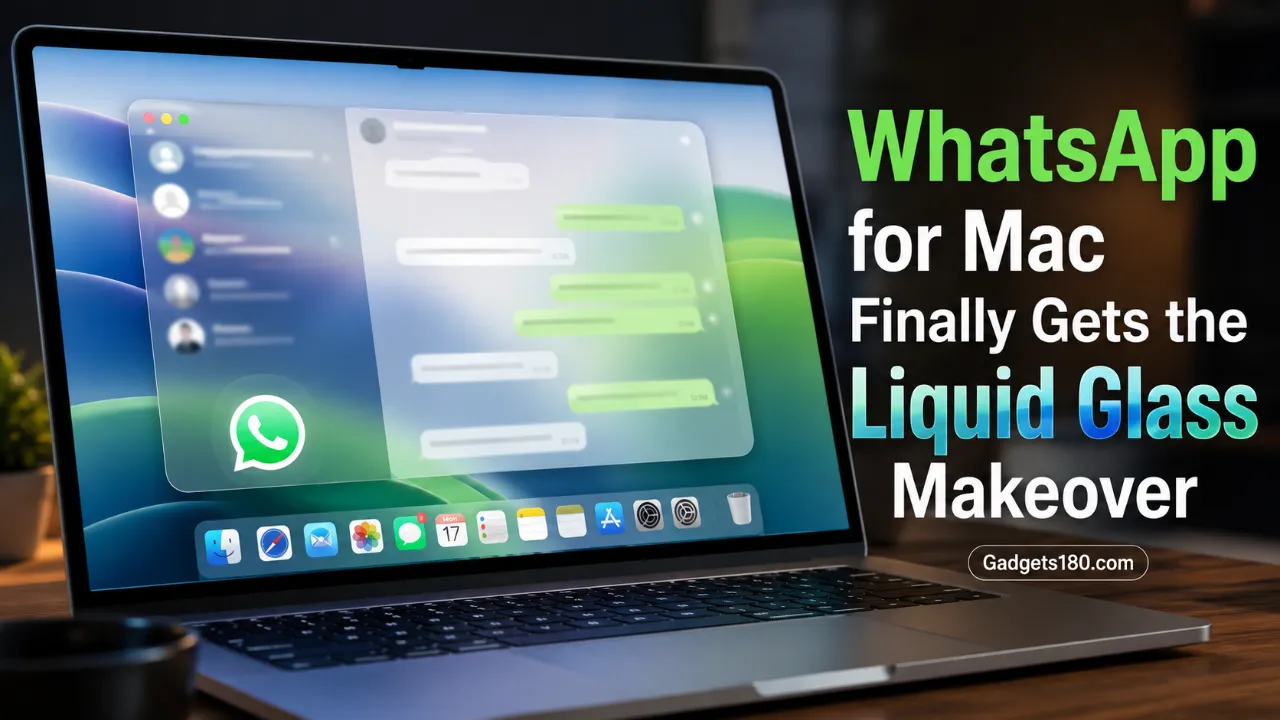
WhatsApp’s Mac app is catching up to its iPhone and iPad siblings. The company has begun rolling out Apple’s Liquid Glass design language to its desktop app, bringing a translucent, more native-feeling interface to Mac users nearly a year after the redesign first appeared on mobile.
The update, delivered through WhatsApp for Mac version 26.27.73 on the App Store, doesn’t just change colors and transparency. It reorganizes the sidebar, adds a dedicated, authenticated space for locked chats, and gives communities their own entry point — changes that bring real functional consistency alongside the visual refresh.
Key Highlights
- WhatsApp is rolling out Apple’s Liquid Glass design to its Mac app via version 26.27.73 on the App Store.
- The sidebar now shows both icons and text labels, along with new translucent visual effects.
- Locked chats move into a dedicated, authenticated section of the sidebar, matching how they work on iPhone.
- Communities get their own dedicated tab in the sidebar for the first time on Mac.
- The chat bar and attachment menu now use the same frosted-glass style already seen on iPhone.
- The rollout is gradual and currently reaches only some users, with wider availability expected over the coming weeks.
Quick Summary Box
What happened? WhatsApp has started rolling out its Liquid Glass interface to the Mac app, following earlier rollouts on iPhone and iPad.
Why did it happen? Apple introduced the Liquid Glass design language with macOS 26 Tahoe, and WhatsApp is aligning its Mac app with that visual standard as well as its own iPhone and iPad apps.
Who is affected? WhatsApp for Mac users who have updated to version 26.27.73 or later via the App Store, though the rollout is currently limited to some accounts.
Why does it matter? It brings Mac in line with the privacy and navigation features iPhone users already have, particularly for locked chats.
What happens next? WhatsApp says the redesign will reach more Mac accounts gradually over the coming weeks.
What Happened?
WhatsApp confirmed the Mac rollout after WABetaInfo discovered the change while testing version 26.27.73, available now through the App Store. The update marks the final piece of a redesign effort that began on iPhone, extended to iPad, and has now reached Mac — closing out what the company has reportedly been working toward for close to a year.
Unlike a typical visual refresh, this update changes how key features are organized. The sidebar, chat bar, and attachment menu all adopt the new look, while locked chats and communities get dedicated, easier-to-find sections that didn’t exist in the same form before.
Background
Apple introduced the Liquid Glass design language alongside macOS 26 Tahoe, giving apps across its ecosystem a more translucent, dynamic appearance that blends with the desktop background. WhatsApp adopted this style on iPhone first, followed by iPad, leaving Mac as the last major platform still running the older interface.
Earlier reporting from June had already flagged that WhatsApp was testing a redesigned Mac interface built around this same design language, including early previews of new sections for locked chats. This week’s rollout turns that testing into a real release reaching actual users, even if only gradually for now.
A redesigned sidebar with labels, not just icons
Previously, the WhatsApp Mac sidebar displayed only icons, without any accompanying text to explain what each one did. The updated sidebar now pairs every icon with a text label, making navigation clearer at a glance. Combined with the new translucent Liquid Glass effects, the sidebar blends more naturally into the macOS desktop than the older, more static design did.
Locked chats now live behind authentication
On iPhone, locked chats have long sat in their own protected section, requiring Face ID or a passcode before they can be opened. On Mac, that separation didn’t exist — locked chats simply appeared within the regular chat list, with no additional authentication step.
The new interface changes that. Locked chats now get a dedicated entry point in the sidebar, and users must authenticate before accessing it. That brings the privacy protections on Mac up to the same standard iPhone users already rely on.
Communities get a home of their own
Communities previously required scrolling through the full chat list to locate on Mac, with no separate section to filter them out. The redesigned sidebar fixes that by adding a dedicated communities tab, letting users jump directly to their communities without digging through unrelated chats.
Chat bar and attachment menu match the new look
The Liquid Glass treatment extends beyond the sidebar. The chat bar at the bottom of each conversation now carries the same translucent, frosted appearance already familiar to iPhone users, and the attachment menu — triggered by the “+” button — follows the same visual style. Together, these changes make the entire conversation screen feel consistent with the rest of the updated app.
Also read;
WhatsApp Rolls Out Usernames & Multi-Account Support
WhatsApp Is Testing Birthday Reminders for Contacts 2026 — Here’s How the New Feature Could Work
Expert Analysis
Design consistency across platforms tends to matter more than it gets credit for. Users who switch between iPhone, iPad, and Mac throughout the day benefit when an app looks and behaves the same way everywhere — it reduces the small friction of relearning navigation on each device. WhatsApp closing that gap on Mac, its last remaining platform running an older interface, suggests the company is treating cross-device consistency as a priority rather than an afterthought.
The locked chats change is arguably the more meaningful update of the two, even if the sidebar redesign is more visually obvious. Storing sensitive chats without any authentication barrier on Mac — while the same content required Face ID or a passcode on iPhone — was a real inconsistency in how the app protected user privacy depending on which device someone used. Fixing that brings a genuine security improvement, not just a cosmetic one.
Why This Matters
For everyday Mac users, the update makes WhatsApp feel more like a native macOS app rather than a ported mobile experience — a distinction that matters for how trustworthy and polished software feels day to day. For anyone who uses locked chats to keep sensitive conversations private, the added authentication step on Mac closes a gap that previously left that content less protected than on mobile.
Impact on Users, Privacy, and the Platform
Everyday users: Get a cleaner, more navigable sidebar with clearer labeling and a more modern look that fits naturally with macOS 26 Tahoe.
Privacy-conscious users: Benefit from locked chats finally requiring authentication on Mac, matching the protection already available on iPhone.
Community members and admins: Can access communities more quickly through a dedicated sidebar tab instead of scrolling through the full chat list.
WhatsApp as a platform: Completes a nearly year-long effort to unify its design language across iPhone, iPad, and Mac.
Timeline
| Date | Development |
|---|---|
| Prior year (ongoing) | WhatsApp begins rolling out Liquid Glass design on iPhone |
| Following months | Liquid Glass rollout extends to iPad |
| June 2026 | WABetaInfo reports WhatsApp testing a redesigned Liquid Glass interface for Mac |
| July 17–18, 2026 | WhatsApp begins rolling out Liquid Glass design to the Mac app via version 26.27.73 |
| Coming weeks | Rollout expected to expand to more Mac accounts |
Important Facts Table
| Detail | Information |
|---|---|
| Feature | Liquid Glass interface for WhatsApp Mac |
| Compatible version | WhatsApp for Mac 26.27.73 (App Store) |
| Status | Rolling out to some users |
| Sidebar change | Icons now paired with text labels; translucent visual style |
| Locked chats | Moved to a dedicated, authenticated sidebar section |
| Communities | New dedicated sidebar tab |
| Chat bar & attachment menu | Updated to match Liquid Glass style |
| Platforms with Liquid Glass | iPhone, iPad, and now Mac |
Future Outlook
With Mac now included, WhatsApp has completed its Liquid Glass rollout across all three of Apple’s major platforms. Future updates are more likely to focus on refining this design further — fixing bugs, adjusting layouts based on user feedback, and potentially adding new features that take advantage of the redesigned sidebar structure — rather than another ground-up visual overhaul in the near term.
What Happens Next
Mac users can check whether they’ve received the update by opening the App Store and installing the latest WhatsApp version, 26.27.73 or newer. If the new interface doesn’t appear immediately after updating, it likely hasn’t reached that account yet, since WhatsApp is distributing the redesign gradually rather than all at once.
Conclusion
WhatsApp’s Mac app has spent the better part of a year trailing behind its iPhone and iPad counterparts in design. That gap has now closed. Beyond the more polished, translucent look, the update’s real value lies in the details — a properly authenticated locked chats section and a dedicated home for communities — changes that make the Mac app not just prettier, but more consistent and more private.
FAQ SECTION
1. What is WhatsApp’s Liquid Glass design update for Mac?
It’s a redesign of the WhatsApp for Mac app that adopts Apple’s Liquid Glass visual style, introduced with macOS 26 Tahoe, including a redesigned sidebar, chat bar, and attachment menu.
2. Which WhatsApp Mac version includes the Liquid Glass update?
The update is available starting with WhatsApp for Mac version 26.27.73, downloadable through the App Store.
3. Is the Liquid Glass update available to all WhatsApp Mac users?
No. WhatsApp is rolling out the update gradually, so it’s currently available to only some users, with wider availability expected over the coming weeks.
4. What changed with locked chats on WhatsApp for Mac?
Locked chats now have their own dedicated, authenticated section in the sidebar, requiring authentication to access — matching how locked chats already work on iPhone.
5. Are communities easier to find on WhatsApp Mac now?
Yes. The redesigned sidebar includes a dedicated tab for communities, so users no longer need to scroll through the full chat list to find them.
6. Does the chat bar look different after the update?
Yes. The chat bar and the attachment menu now use the same translucent, frosted Liquid Glass style already available on iPhone.
7. Has WhatsApp already brought Liquid Glass to other Apple devices?
Yes. WhatsApp rolled out Liquid Glass on iPhone first, then iPad, before bringing it to Mac.
8. What should I do if I don’t see the new design on WhatsApp Mac yet?
Make sure you’ve updated to WhatsApp for Mac version 26.27.73 or later through the App Store, and wait, since the rollout is gradual and may take time to reach your account.