

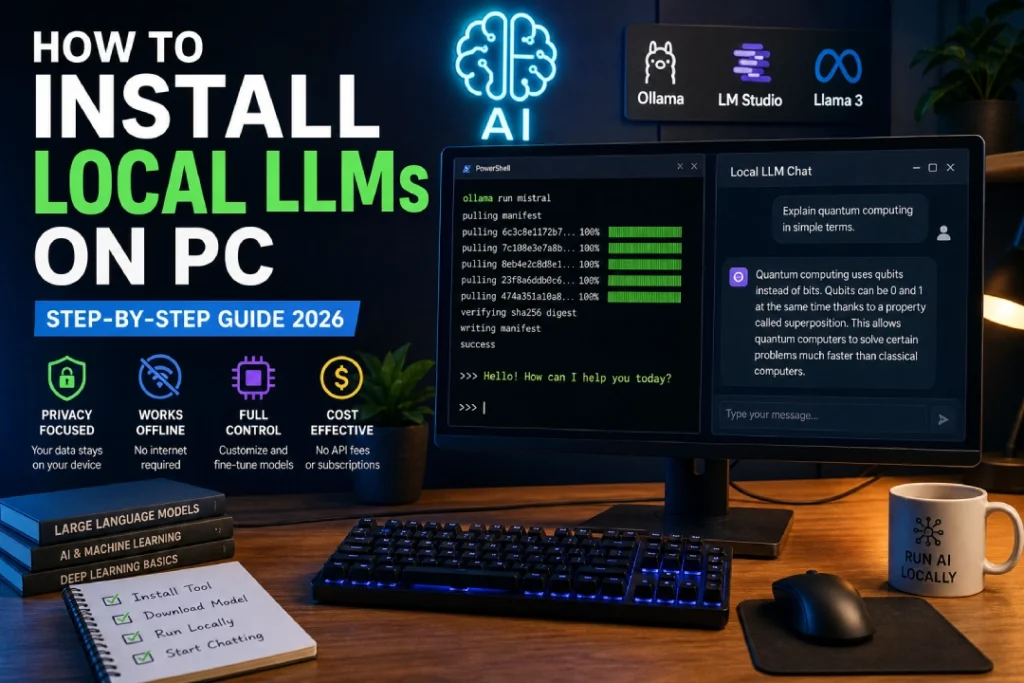
To install local LLMs on PC topic has gained huge attention as more users want to run AI tools without relying on the internet. Many people are now searching for ways to use AI models like ChatGPT offline because of privacy concerns and cost limitations. In 2026, setting up local LLMs has become much easier compared to earlier years, and even beginners can do it without deep technical knowledge. Running a local model means your data stays on your computer, you avoid subscription fees, and you get full control over how the AI behaves, making it a practical solution for students, developers, and tech enthusiasts.
Quick Summary
Process to install local LLMs on PC mainly involves installing a tool, downloading a model, and running it on your system. You need a computer with decent RAM, preferably 8GB or more, and optional GPU support for better performance. Tools like Ollama and LM Studio have simplified the entire setup, allowing users to install and run models in just a few steps. Once everything is set up, you can use the AI offline for tasks like coding, writing, and research without any dependency on cloud services.
What is How to Install Local LLMs on PC?
Install local LLMs on PC refers to the process of running large language models directly on your personal computer instead of accessing them through online platforms. These models are capable of understanding and generating human-like text, helping users with various tasks such as answering questions, writing content, and solving problems. Popular models like LLaMA, Mistral, and Gemma are commonly used in local setups. By installing them on your PC, you ensure that all computations happen locally, which improves privacy and gives you more flexibility in how you use the model.
Features
To install local LLMs on PC setup comes with several useful features that make it attractive for modern users. One of the main features is offline access, meaning once the model is downloaded, you do not need an internet connection to use it. Another important feature is cost efficiency, as you do not need to pay for API usage or subscriptions. It also allows customization, where developers can modify or fine-tune the model according to their needs. Privacy is another major advantage because all your data stays on your system, making it safer compared to cloud-based solutions.
How it Works
The how to install local LLMs on PC works through a straightforward process that involves a few key steps. First, you install a runtime tool such as Ollama or LM Studio, which acts as a platform to manage and run AI models. After that, you download a model like LLaMA or Mistral, which contains the trained AI data. The tool then loads the model into your system’s memory, allowing it to process inputs directly on your computer. You can interact with the model through a command line or graphical interface, and it generates responses without needing any external server.
Benefits
It offers several benefits that make it a preferred choice for many users. The biggest advantage is privacy, as your data does not leave your system, which is especially important for sensitive tasks. It also helps save money because you do not need to pay for cloud-based AI services. Another benefit is reduced latency, as responses are generated instantly without internet delays. Additionally, it provides flexibility for developers and learners to experiment freely, making it an excellent option for education, research, and development purposes.
Latest Updates
To install local LLMs on PC has improved significantly in 2026 with new tools and optimized models. Platforms like Ollama and LM Studio now offer simpler interfaces and faster installation processes, making them accessible even for non-technical users. Many AI models are now optimized to run efficiently on mid-range systems, reducing the need for expensive hardware. There is also a growing trend of lightweight models that provide good performance while using fewer system resources, which is making local AI more practical for everyday use.
Comparison
local LLMs on PC can be compared with cloud-based AI services to understand its value better. Cloud AI platforms offer powerful models with high performance but require constant internet access and often come with usage costs. On the other hand, local LLMs provide privacy, offline access, and full control, but their performance depends on your hardware capabilities. Many users now prefer a hybrid approach, using local models for privacy-sensitive tasks and cloud AI for heavy workloads that require more computing power.
Pros & Cons
The how to install local LLMs on PC comes with both advantages and limitations that users should consider. The main pros include complete privacy, no subscription costs, offline functionality, and the ability to customize models. However, there are some cons such as the need for good hardware, initial setup time, and slightly lower performance compared to large cloud-based models. Understanding these factors helps users decide whether local LLMs are suitable for their needs.
FAQs
Many users have common questions about the how to install local LLMs on PC process. One frequent question is whether a GPU is required, and the answer is that it is not mandatory but helps improve performance. Another question is whether beginners can install these models, and the answer is yes, especially with tools like Ollama that simplify the process. Users also ask if local LLMs are free, and most models are indeed free to use. Finally, internet is only required for downloading the model initially, after which everything works offline.
Conclusion
Local LLMs on PC is becoming an essential skill in 2026 as AI technology continues to grow rapidly. With easy-to-use tools and better hardware support, running AI models locally is now accessible to a wide range of users. It offers privacy, flexibility, and cost savings, making it a strong alternative to cloud-based solutions. As advancements continue, local LLMs are expected to become even more powerful and widely used, changing how people interact with AI in their daily lives.
Also Read:
Best AI Tools for Freelance Graphic Designers
Tata Nexon 2026 Price, Features
Tata Safari EV Price, Impressive Range
Best 144Hz Monitors for PS5 Pro