
Been thinking about ditching your iPhone for Android? Google just made that decision a whole lot easier. The company has quietly built a powerful new migration tool directly into Android 17 — and for the first time, you won’t need to download a single extra app to make the switch.
What Google Just Announced
On July 22, 2026, Google announced a brand-new iPhone-to-Android migration experience built natively into Android 17. The feature allows users to wirelessly transfer a much wider range of data from their iPhone to a new Android device — all without installing any separate migration app on either phone.
This is a significant upgrade over Google’s previous Switch to Android app, which required installation on the iPhone side and supported fewer data types. The new experience is designed to be seamless, fast, and accessible to anyone picking up an Android phone for the first time.
What Data Can You Transfer?
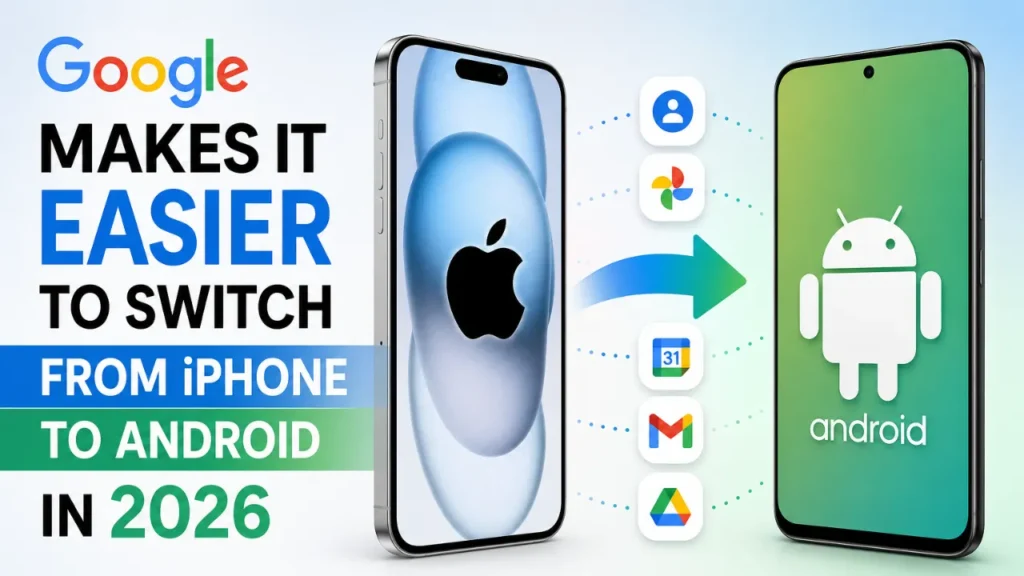
The new migration tool supports a much broader range of content than before. Here’s everything you can now move wirelessly from your iPhone to your new Android device:
- Photos and Videos — your entire camera roll, transferred wirelessly
- Contacts — all saved contacts moved over automatically
- Messages — your SMS message history
- Calendars — events and appointments from your iPhone calendar
- Google Account — sign-in credentials set up during transfer (newly supported)
- Passwords — saved passwords migrated securely (newly supported)
- Wi-Fi Credentials — saved networks transferred so you connect instantly (newly supported)
- eSIM — your carrier plan transferred digitally, no physical SIM swap needed (newly supported)
The eSIM transfer is particularly notable — it means users can switch devices without visiting a carrier store or waiting for a physical SIM card to arrive. Everything moves over the air.
Which Android Devices Support It Right Now?
Google has already started rolling out the new migration feature, though availability varies by device at launch:
- Google Pixel devices — the upgrade is already rolling out to select Pixel phones running Android 17
- Samsung Galaxy Z Flip 8 — available at launch, announced at Galaxy Unpacked on July 22, 2026
- Samsung Galaxy Z Fold 8 — available at launch, also unveiled at Galaxy Unpacked
- More Android devices — Google confirmed broader rollout is coming soon
Why Is Google Doing This Now?
The timing is no accident. Google announced this feature alongside Samsung’s Galaxy Unpacked event — one of the biggest Android hardware launches of the year. By pairing a major software convenience upgrade with high-profile new devices, Google is clearly making a direct pitch to iPhone users who have been sitting on the fence.
The “switching barrier” has long been one of the biggest reasons iPhone users stay on iOS even when they’re curious about Android. Having to manually move contacts, re-download apps, reconfigure passwords, and sort out carrier plans is time-consuming and frustrating. By baking the migration tool directly into Android 17, Google eliminates the need for any technical know-how — you just set up your new phone and the system guides you through it.
This is part of a broader strategy by Google to grow Android’s share among premium smartphone buyers — a segment that Apple has dominated in the United States for years.
How Does It Compare to Apple’s Own Switch Tool?
Apple offers its own migration experience called Quick Start for iPhone-to-iPhone transfers, and a separate Move to iOS app for Android-to-iPhone switching. Both are well-regarded and support a wide range of data types.
Google’s new Android 17 migration tool is now broadly competitive with Move to iOS in terms of data coverage — and adds eSIM transfer, which Move to iOS does not currently support natively. The key advantage Google is pushing here is the no-separate-app requirement: everything is built into the Android setup experience, making it more frictionless for non-technical users.
Also read;
iPhone 18 Pro Could Cost Up to $1,499: Biggest Leaks, Camera Upgrades, and What to Expect
iPhone 18 Pro Rumors 2026- Design, Colors, Camera, Chip and Release Date
What This Means for iPhone Users Considering Android
If you’ve been holding off on trying Android because of how painful the switch seemed, this update directly addresses that hesitation. Here’s what the new experience looks like in practice:
- Unbox your new Android device and power it on
- During setup, choose “Copy data from iPhone”
- Follow the on-screen prompts to connect your iPhone wirelessly
- Select what you want to transfer — photos, contacts, messages, passwords, Wi-Fi, eSIM
- Wait for the transfer to complete — no cables, no apps, no carrier store visit
- Your new Android is ready to go with your data already in place
The entire process is designed to be doable by anyone, not just tech-savvy users. That’s the real win here.
Frequently Asked Questions
Do I need to download an app on my iPhone to use Google’s new migration tool?
No. That’s the key upgrade in Android 17’s new migration experience. The entire process is built into the Android setup flow, and you don’t need to install any separate app on your iPhone to get started.
Can I transfer my eSIM from iPhone to Android?
Yes — eSIM transfer is one of the newly supported data types in this migration experience. You can move your carrier plan digitally to the new Android device without visiting a store or swapping a physical SIM card.
Which Android phones support the new iPhone migration feature?
As of July 2026, the feature is rolling out to select Pixel devices running Android 17 and is available on the new Samsung Galaxy Z Flip 8 and Galaxy Z Fold 8. Google has confirmed it will expand to more Android devices soon.
Will my iMessage history transfer to Android?
The new tool supports SMS message transfer. However, iMessage is an Apple-exclusive service — those conversations exist only within Apple’s ecosystem. After switching to Android, you’ll continue receiving iMessages as standard SMS texts, but the blue-bubble iMessage experience does not carry over.
Is this available in India?
Google has announced global availability as part of Android 17, though rollout is gradual and starts with Pixel devices and the new Samsung Galaxy Z series. Most Android devices in India should receive the update in the coming weeks.
Bottom Line
Google’s new iPhone-to-Android migration tool built into Android 17 is the most significant step the company has taken to lower the switching barrier between iOS and Android. By supporting wireless transfer of photos, videos, contacts, messages, calendars, passwords, Wi-Fi credentials, and even your eSIM — all without a separate app — Google is making the leap to Android more accessible than it has ever been.
If you’ve been on the fence about trying Android, this might be the moment to finally make the move. The Galaxy Z Flip 8 and Z Fold 8 are the first devices to showcase the full experience — and more Android phones will follow soon.
Source: Google Blog — Galaxy Unpacked: Switch from iPhone to Android